

Which Git Branching Strategy Should You Actually Use?
GitFlow, GitHub Flow, GitLab Flow or Trunk-Based? A comparison table, decision flowchart and real-world scenarios to help you choose.
We've covered GitFlow, GitHub Flow, GitLab Flow, and Trunk-Based Development. Now the question everyone really wants answered: which one should my team pick?
The honest answer is "it depends," which is annoying, so let me make it less hand-wavy. The right strategy follows from three things about your situation:
- How you release (continuously, on a schedule, or by version)
- How many versions you support at once
- How much you trust your automation (tests, CI/CD, rollbacks)
Branching strategy is mostly a consequence of those, not a preference. Teams that pick based on what's trendy usually regret it.
The four at a glance
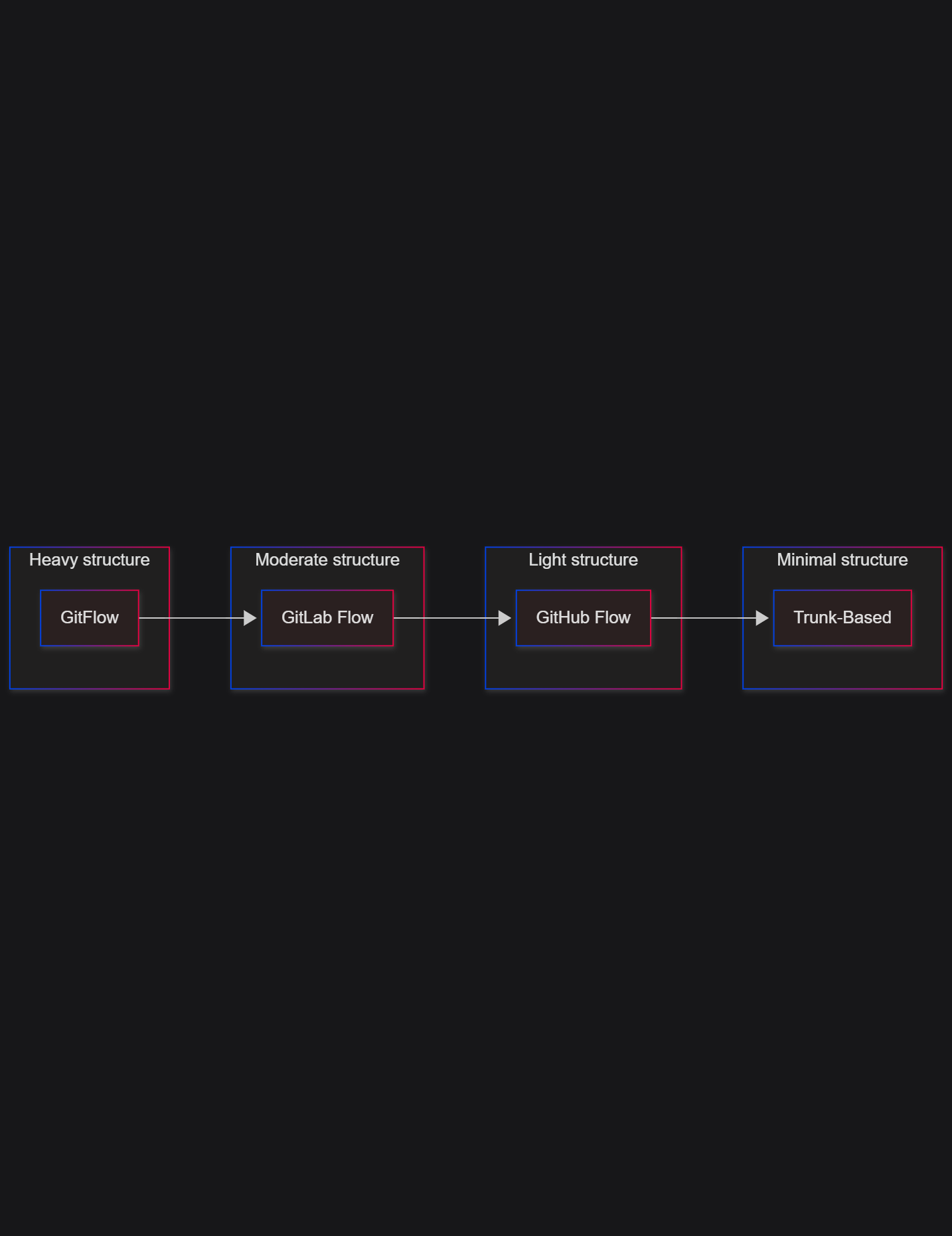
Moving left to right, you get fewer branches, faster integration, and less ceremony. But you also lean harder on automated testing and discipline.
Comparison table
| GitFlow | GitHub Flow | GitLab Flow | Trunk-Based | |
|---|---|---|---|---|
| Long-lived branches | main, develop (+ release) |
main |
main + env/release branches |
main only |
| Branch lifespan | Days to weeks | Hours to days | Hours to days | Hours (ideally < 1–2 days) |
| Release style | Scheduled, versioned | Continuous | Continuous or gated | Continuous |
| Multiple versions supported | Yes, naturally | Not built in | Yes (release-branch variant) | Via short release branches |
| Process overhead | High | Low | Medium | Very low |
| Automation needed | Moderate | High | Moderate to high | Very high |
| Merge conflict risk | High | Low to medium | Low to medium | Lowest |
| Learning curve | Steep | Gentle | Moderate | Gentle on paper, hard culturally |
| Typical team size | Medium to large | Small to medium | Any | Any, but needs maturity |
Strategy by strategy
GitFlow
Use it when:
- You ship versioned software: mobile apps, desktop apps, SDKs, embedded firmware
- Multiple versions are in the wild and need patches
- A formal QA or compliance stage precedes release
Real-world examples: a banking mobile app with App Store review cycles; an on-prem enterprise product with customers on different versions.
| Pros | Cons |
|---|---|
| Clear structure and roles for branches | Heavy process |
| Natural fit for scheduled releases | Long-lived branches cause painful merges |
| Great for multi-version support | Slows CI/CD |
| Stabilization phase built in | Easy to forget back-merges |
GitHub Flow
Use it when:
- You run a single production version (web app, SaaS, API)
- You can deploy any time
- You have reasonable test coverage and want minimal process
Real-world examples: a startup's web product; an internal tool; a marketing site; most small-to-mid SaaS teams.
| Pros | Cons |
|---|---|
| Dead simple | No answer for multiple versions |
| Fast feedback via PRs | Requires reliable CI |
| Fits continuous delivery | No built-in staging or gated release step |
| Little overhead | Needs feature flags for long work |
GitLab Flow
Use it when:
- You have staging/pre-prod environments to promote through
- You need control over when code reaches production
- You support a few release lines but find GitFlow too heavy
Real-world examples: a B2B SaaS with a customer-facing staging environment; a team with a weekly release window; a platform with both a hosted version and a self-managed LTS.
| Pros | Cons |
|---|---|
| Flexible, three variants | Must pick and document a variant |
| Upstream-first prevents drift | Cherry-picking can get tedious |
| Clear environment promotion | Slower than trunk-based |
| Great GitLab CI integration | Env branches can drift if unprotected |
Trunk-Based Development
Use it when:
- You deploy multiple times per day (or want to)
- You have strong automated testing and fast CI
- Your team can handle feature flags and progressive delivery
Real-world examples: large platform companies with monorepos; high-performing product teams measured on DORA metrics; teams doing continuous deployment.
| Pros | Cons |
|---|---|
| Fewest merge conflicts | Demands excellent CI and tests |
| Fastest delivery | Flag management overhead |
| Smaller, safer changes | Big cultural shift |
| Simple model | Poor fit for untrusted contributors |
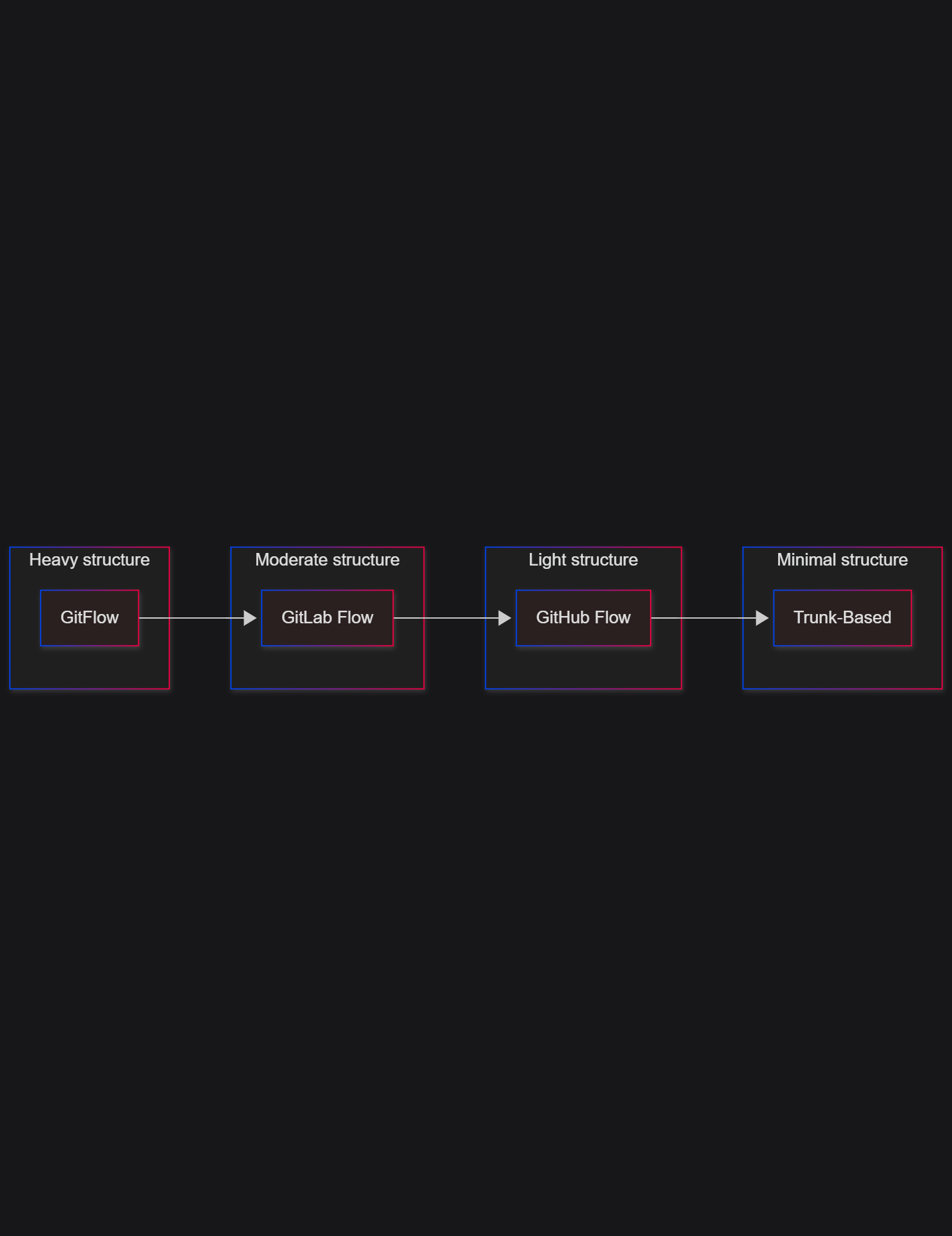
A decision flow you can actually follow
Some common scenarios
"We're a 5-person startup with a web app." GitHub Flow. Don't overthink it. Add feature flags when you need them.
"We build a mobile app and Apple/Google review takes days." GitFlow or GitLab Flow with release branches. You can't "just redeploy," so release branches earn their keep.
"Enterprise SaaS, weekly release window, UAT environment for customers." GitLab Flow with environment branches.
"Big team, monorepo, deploy constantly." Trunk-Based Development with feature flags, and heavy investment in CI speed.
"Open-source library with outside contributors." Usually a fork-and-PR model with main plus release branches for maintained versions. Think GitHub Flow with a dash of GitLab Flow's release branches.
"Legacy codebase, flaky tests, nervous about releases." Stay on GitHub Flow or GitLab Flow while you fix the tests. Moving to trunk-based with a bad safety net is how you get outages.
Can you mix them?
Yes, and plenty of teams do. A very common hybrid: trunk-based development with short-lived release branches for versioned products. Another: GitHub Flow for the web app and GitFlow-lite for the mobile app in the same company. The labels matter less than having clear, written rules everyone follows.
Universal best practices (whatever you pick)
- Document it. A short
CONTRIBUTING.mdsection explaining the branch model prevents most confusion. - Protect important branches. Require PRs, reviews, and passing checks.
- Use consistent naming.
feature/,fix/,hotfix/,release/, plus ticket IDs. - Keep branches short-lived. The single best predictor of merge pain is branch age.
- Automate the boring bits: tagging, changelogs, back-merges, branch cleanup.
- Write good commit messages. Consider Conventional Commits if you want automated versioning.
- Fix upstream first when you maintain more than one line of code.
- Invest in CI before you invest in process. Good tests make every strategy safer.
- Revisit the decision. The strategy that fits a team of 5 won't fit 50. Review it when your release cadence or team size changes.
Migration tips
Going from one strategy to a lighter one? Do it incrementally:
- Shorten branch lifetimes first
- Add feature flags and improve test speed
- Collapse redundant long-lived branches (like
develop) - Move deploys to be automatic from
main - Retire release branches when you no longer need them
Going the other direction (adding structure)? Add only what a concrete problem demands: a staging branch when you need promotion, a release branch when you must support a version. Don't bring GitFlow in "just in case."
The short version
- Versioned releases, formal QA, multiple versions → GitFlow (or GitLab Flow with release branches)
- Single version, deploy anytime, want simple → GitHub Flow
- Need environments or deploy gates → GitLab Flow
- Mature automation, deploy constantly → Trunk-Based Development
If you're unsure, start with GitHub Flow. It's easy to move toward more structure or less as you learn what your team actually needs.
If this series helped you, you can support me by buying me a coffee: buymeacoffee.com/vatul16 ☕
Thanks for reading, and happy branching!
About the author
- Hi, I'm Atul! I am a software engineer with a strong focus on DevOps, Cloud Infrastructure, and automation. I spend my time building scalable CI/CD pipelines, mastering tools like Docker, Terraform, and AWS, and breaking down complex cloud concepts into accessible, hands-on tutorials. I believe the best way to learn is to build, break, and document the process.
Comments
Join the discussionNo comments yet. Be the first to comment.
Git Branching Strategies: A Practical Guide for Teams
A five-part, hands-on series on Git branching strategies. We go through GitFlow, GitHub Flow, GitLab Flow and Trunk-Based Development, with diagrams, real commands, pipeline examples, pros, cons and best practices. The final post helps you decide which strategy fits your team, release style and level of automation.